

Files & Documents
The attachment lives next to the order — and the folder on your computer syncs on its own.
See the system with my own data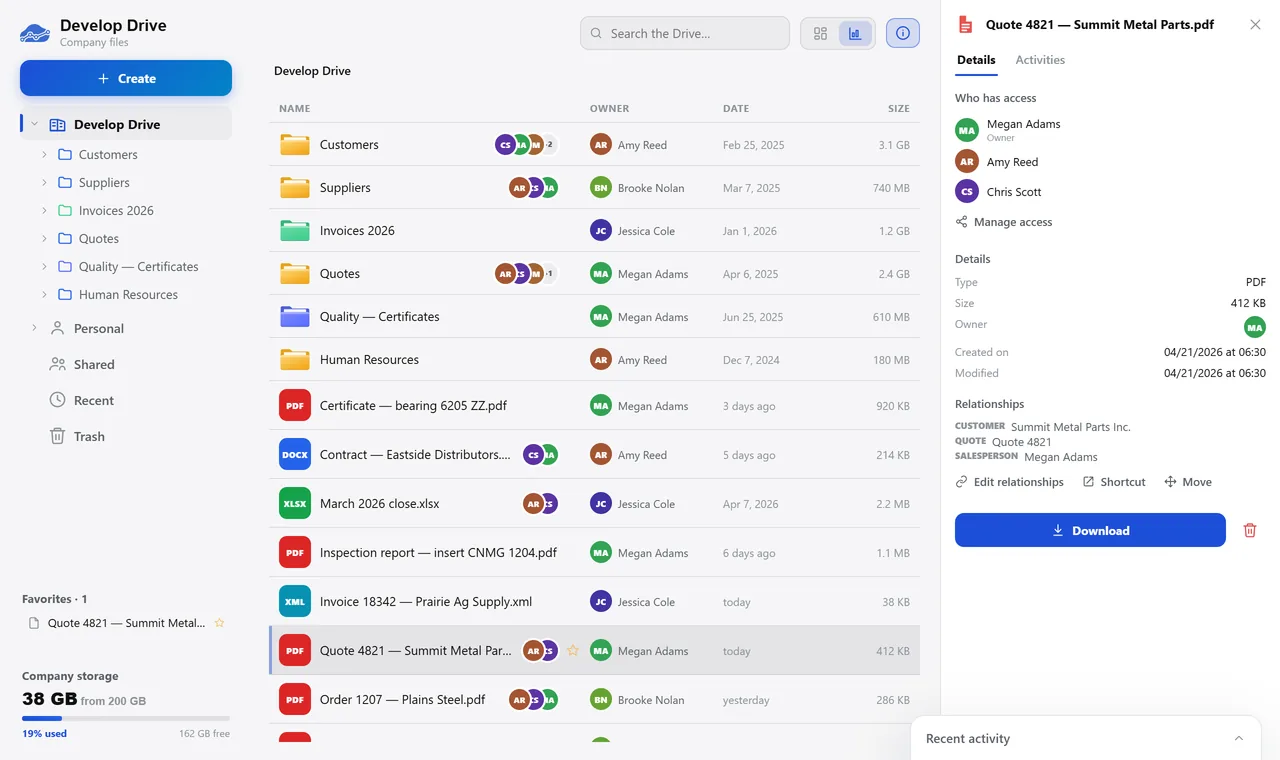
The company drive. A real system screen, with sample data. The screens are in Portuguese today. Scroll sideways to see the whole screen.
How it usually works
The contract is in someone’s email
Someone asks for a supplier invoice from three years ago, and two people spend the afternoon opening network folders.
The certificate expires and nobody notices until the audit arrives.
With the module
The file lives next to the record it belongs to
- Drag the folder from your computer inside
- The file gets a link
- Sharing is by folder
- Finding is by name, by link or by content
What you can do with your files
Day to day
- Colored folders, favorites, shortcuts, trash and undo
- Drag a whole folder from your computer, with a check before uploading
- Preview images, documents, video, audio and spreadsheets without downloading
- Edit text and spreadsheets in place, saving back to the same file
Linking to the system
- Links to customer, product, supplier, bill, quote and more
- Purchase order attachments also showing up on the bill in finance
- Document center inside every ERP record
- Send by messaging app and by email straight from the drive
For control
- Personal area that not even the administrator can see
- Controlled documents with expiration date, owner and criticality
- Expiration alert to the owner
- Computer folder synced both ways
Talks to Projects, Quality, Finance, Purchasing, and Develop IA.
Where is your biggest customer’s contract right now?
See the system with my own dataA reply by email within one business day, from a person on our sales team — not a bot.