

Retail & Commerce
A counter sale deducts from inventory on the spot, and each store’s results show up closed at the end of the day.
See the system with my own data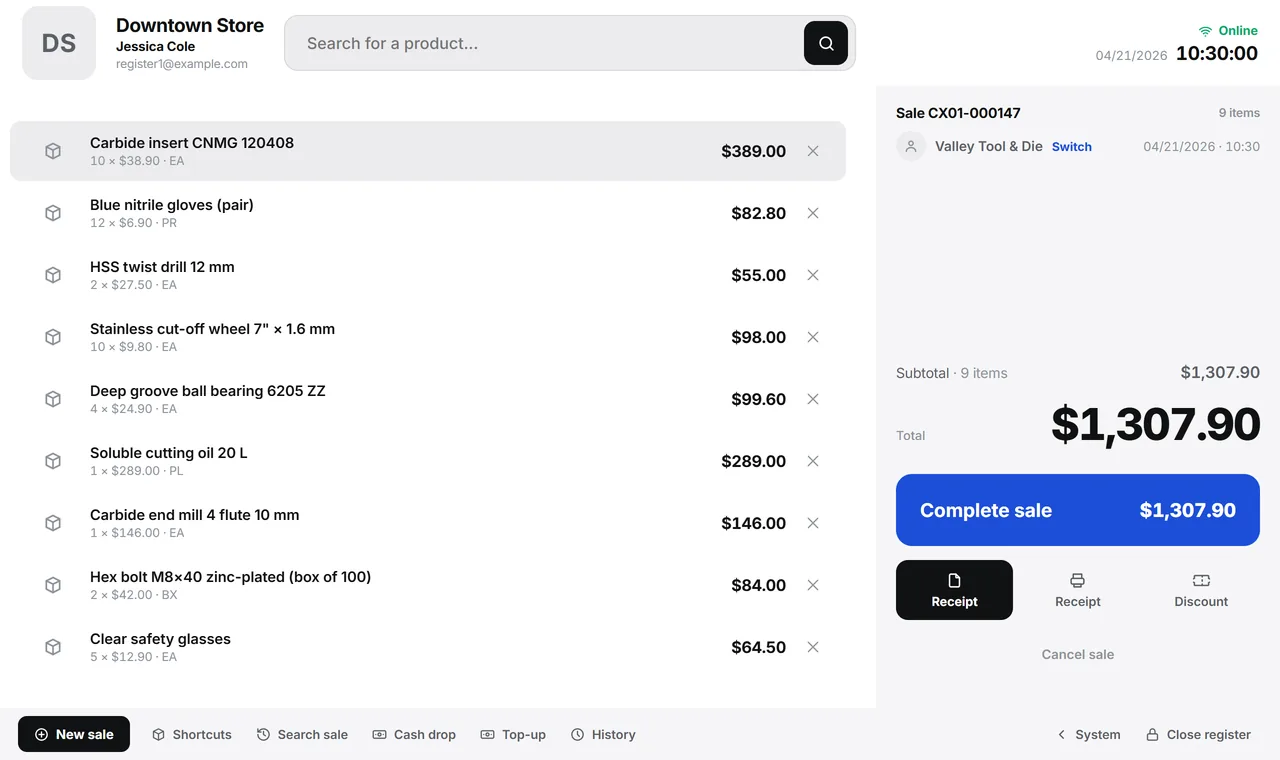
The register in terminal mode. A real system screen, with sample data. The screens are in Portuguese today. Scroll sideways to see the whole screen.
A day in this industry
The internet goes down and the line grows
The internet goes down on Saturday morning, and the cashier jots sales on a notepad to enter on Monday.
The owner only finds out whether the store did well when the accountant closes the month.
With Develop
The register sells, checks and tells the rest of the system
- The sale starts on the register computer
- Every shift has a record
- Closing is checked by payment method
- The owner reads the day
What a store needs from a system
A register that doesn’t stop
- Sales saved on the register computer, with or without internet
- Syncing with no duplicate sales, in the order they happened
- A shortcut grid that learns that register’s best sellers
- Quick customer sign-up without leaving the sale
A drawer that balances
- Opening with a change float suggested by the previous closing
- Cash drops and cash additions recorded, with the shift history
- Closing checked by payment method
- Receipt reprint from the sales search
Counter inventory
- Register sales deducting stock the same way as a regular sale
- A discrepancy report when two registers sell the last unit
- Stock count with a scanner and a list of what hasn’t been counted yet
- Minimum and maximum per item, turning into purchase suggestions
Customers who come back
- Cashback with rules per store and an instant simulation
- Store credit for trusted customers, without a notebook
- Counter customers in the same records as the rest of the system
- Offline sales uploaded exactly once when the connection comes back
The store’s results
- Revenue, sales and average ticket for the period
- Peak hours: the time of day when the store really sells
- Average markup by product group
- ABC curve and profitability by product
The modules that matter here: POS, Inventory, Finance, Invoicing, Master Data, and Reports.
How much did your store sell between eleven and noon last Saturday?
See the system with my own dataA reply by email within one business day, from a person on our sales team — not a bot.