

Reports & BI
The number behind the decision, with the path back to the invoice that produced it.
See the system with my own data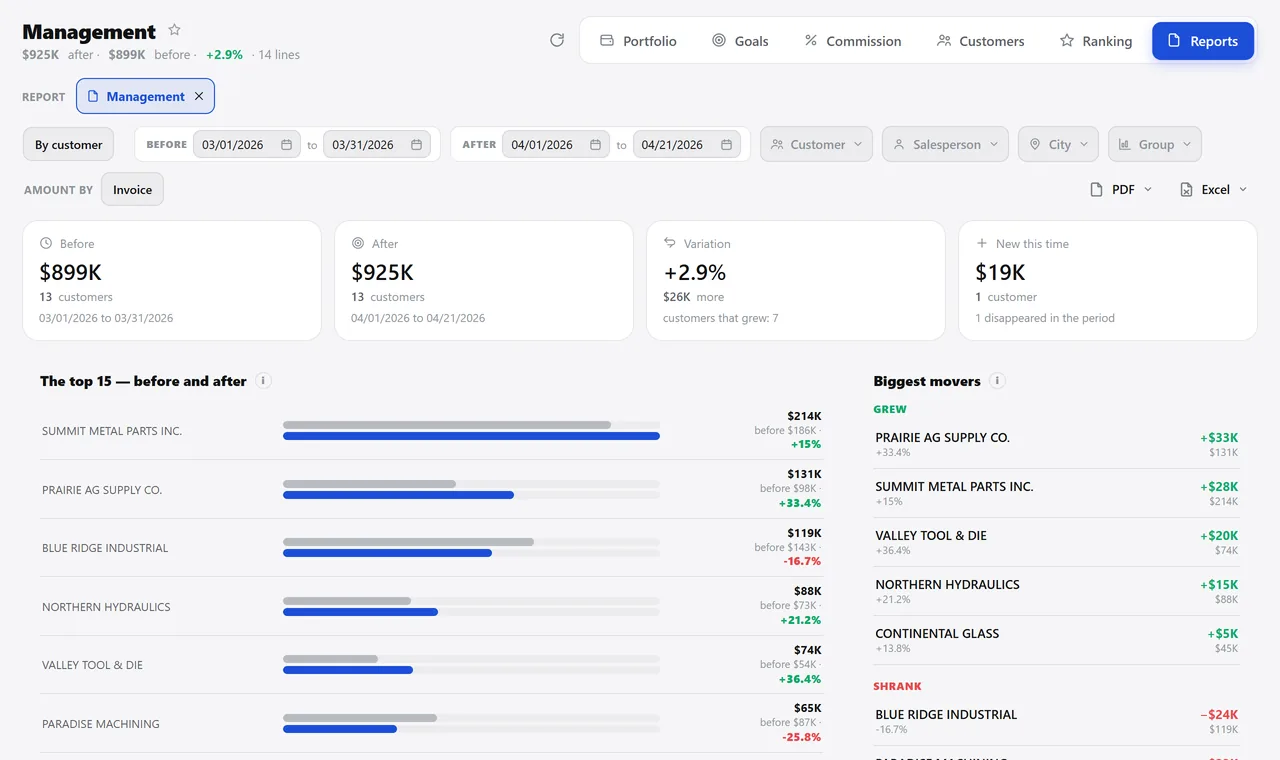
Two periods side by side. A real system screen, with sample data. The screens are in Portuguese today. Scroll sideways to see the whole screen.
How it usually works
The answer takes two days and arrives out of date
Every Monday someone exports three lists and spends the morning cross-checking spreadsheets.
Nobody knows which order went out below cost until closing, when the money is already gone.
With the module
The report comes from the same data the operation uses
- The dashboard opens already answering
- The rankings say who drove the number
- The comparison shows the movement
- Profitability closes the loop
What you can look at
For the day
- Dashboard by profile: administrator, salesperson, purchasing or support
- Calendar with each day’s sales and the running total against the target
- Customer map by status: active, inactive for a year, no sales
- Plain-language readings drawn from your own numbers, not generic tips
For the week
- Rankings by customer, item, salesperson, group and month
- Detailed revenue invoice by invoice, with the installments of each one
- Margin per order, flagging the ones below the minimum
- ABC curve that saves minimum and maximum and turns into a purchase
For the month
- Comparison of two periods with change by range
- Profitability by product, with gain, profit and markup
- Income statement, month by month
- Spreadsheet and PDF export on practically every screen
Which question takes your company two days to answer?
See the system with my own dataA reply by email within one business day, from a person on our sales team — not a bot.