

Distribution & Wholesale
The right price for each customer, sales rep orders going straight into the system and deliveries organized by the day’s route.
See the system with my own data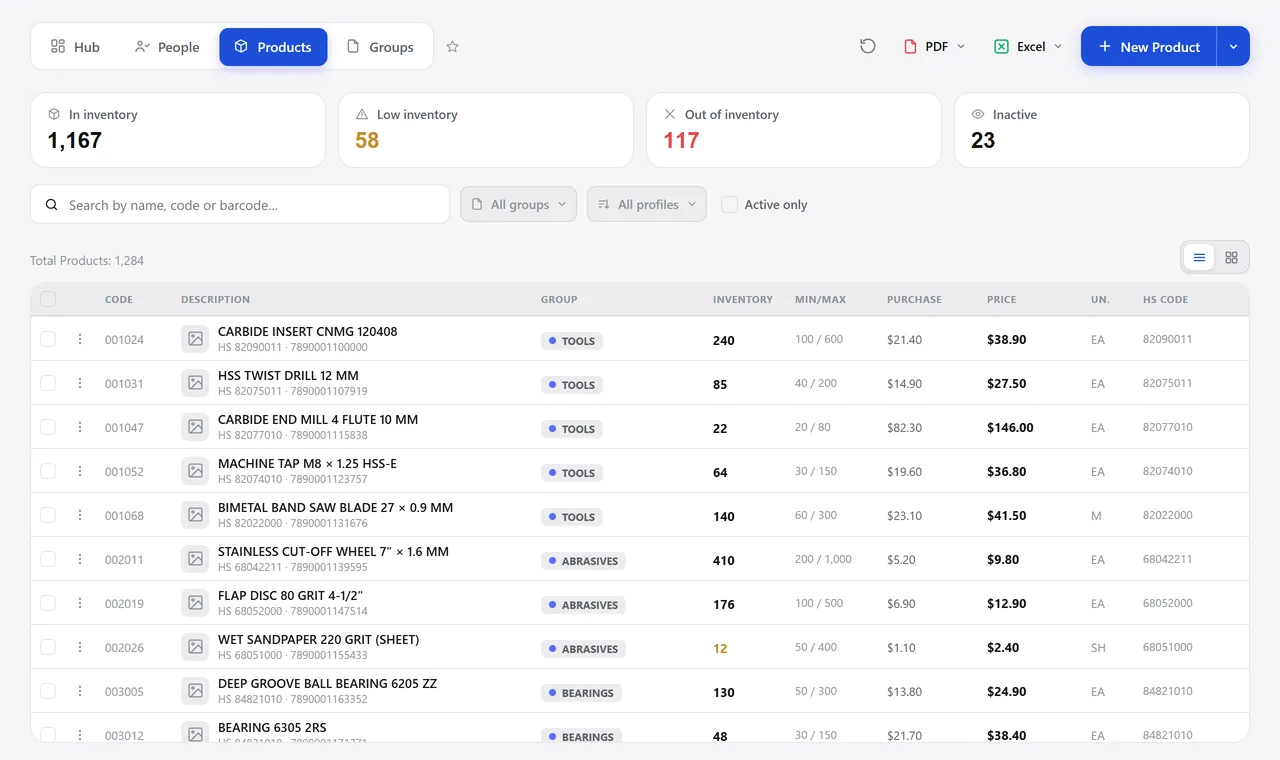
The product lookup. A real system screen, with sample data. The screens are in Portuguese today. Scroll sideways to see the whole screen.
A day in this industry
The right price lives in the head of your longest-serving sales rep
Goods arrive by the bale, they sell by the unit, and receiving is checked by counting on fingers.
A good customer kept ordering less for six months, and nobody noticed until they were gone.
With Develop
The order comes in with its price and goes out checked
- The price comes from the customer
- The sales rep’s order comes in on its own
- The load goes out checked and routed
- Deliveries come back with proof; accounts, with alerts
What a distributor needs from a system
Price by customer
- Price lists by customer or by profile
- Discount groups recalculating the cost of thousands of items
- Bulk price updates from a spreadsheet, with a report of what didn’t match
- Margin per order, flagging whoever went below the minimum
Orders that come from outside
- Sales rep orders coming in as sales orders
- Prices and photos going from the product records to the sales force app
- Approval of below-minimum sales through a link sent by message
- Commission per salesperson on invoiced or on received
A warehouse that turns over
- Supplier invoice checked against the purchase order
- Barcode scanning, with bale-to-unit conversion
- Coverage by range: no stock, up to 15 days, 16 to 45, over 45, excess
- Purchase suggestions based on minimum stock and open orders
The day’s load
- Release for invoicing item by item, including partial
- Scan check of everything going out, before the truck leaves
- Route for the day’s deliveries planned on the map
- Delivery receipt signed on a phone — or six per sheet, for those who prefer paper
Accounts that don’t go cold
- Account activity: who bought in the last six months
- ABC curve with the inactive customers inside each class
- Drops by product, comparing the same range of months year over year
- Overdue bills flagged right inside the order
The modules that matter here: Master Data, Sales, Integrations, Inventory, Shipping, and CRM.
How many of your customers bought less this half-year?
See the system with my own dataA reply by email within one business day, from a person on our sales team — not a bot.