

Integrations & Connectors
The ERP talks to your calendar, your email, map routing and e-signature.
See the system with my own data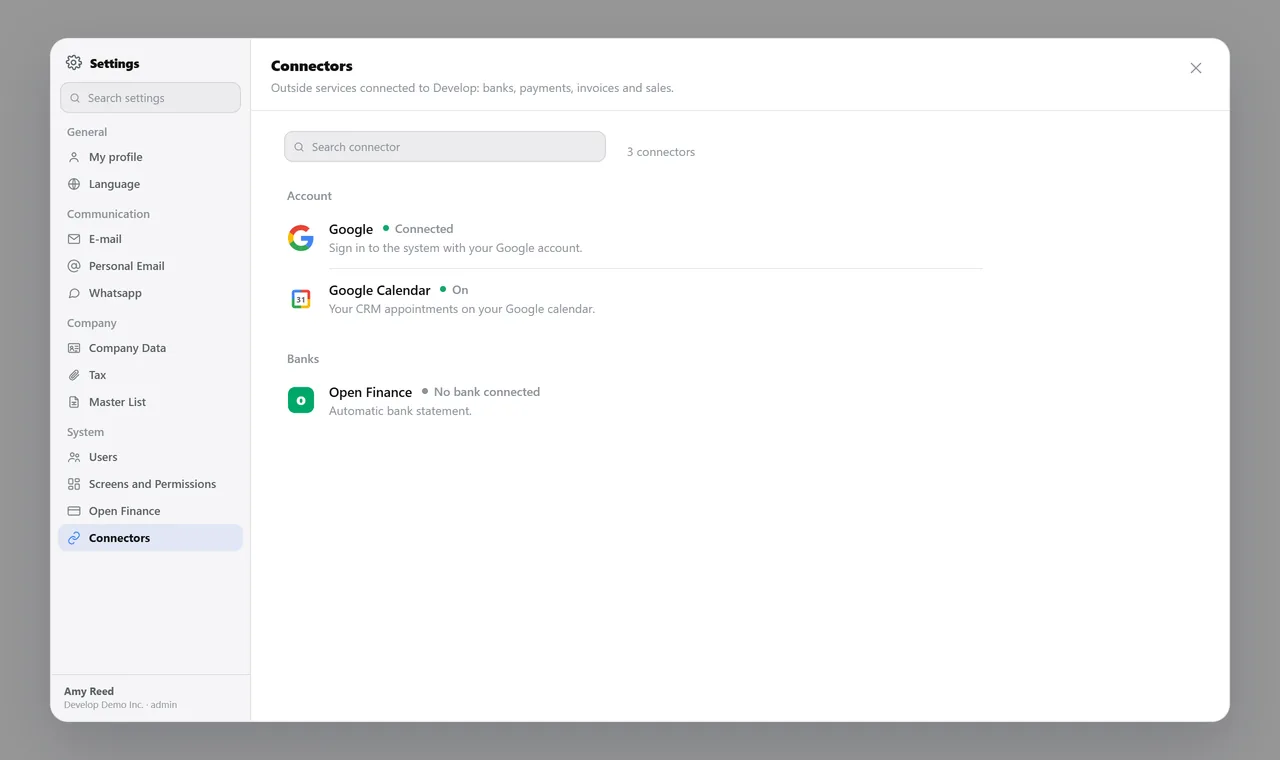
The connection hub. A real system screen, with sample data. The screens are in Portuguese today. Scroll sideways to see the whole screen.
How it usually works
Every system talks to itself, and someone bridges the gap by hand
The rep’s meetings live in a personal calendar, and the CRM never hears about them.
The signed delivery receipt comes back on paper, and someone scans it to file next to the order.
With the module
Connect once, and the data starts moving on its own
- A connection is a screen, not a ticket
- Fixes take effect right away
- What goes out carries your identity
- When in doubt, check the status
What the system talks to
Money
- QuickBooks connection, in preparation for founding customers
- ACH and card payments, in preparation for founding customers
- Credentials kept per company, never shared between accounts
- Every payment confirmed at the source before anything is posted
Documents
- Quotes, invoices and files sent by email from inside the system
- Electronic signature of the delivery receipt
- The period’s files and reports exported for the accountant
- Trial balance reconciliation, account by account
Sales and conversations
- Google Maps: the day’s delivery route drawn on the map
- Your email account connected, so messages go out from your own address
- Your company’s own messaging account for quotes and notices
- Calendar and online meetings linked to the CRM
Talks to Finance, Invoicing, Master Data, Sales, and CRM.
Which system do you use today and don’t want to give up?
See the system with my own dataA reply by email within one business day, from a person on our sales team — not a bot.