

Finance
Accounts, bank, P&L and reconciliation — fed by the sale itself.
See the system with my own data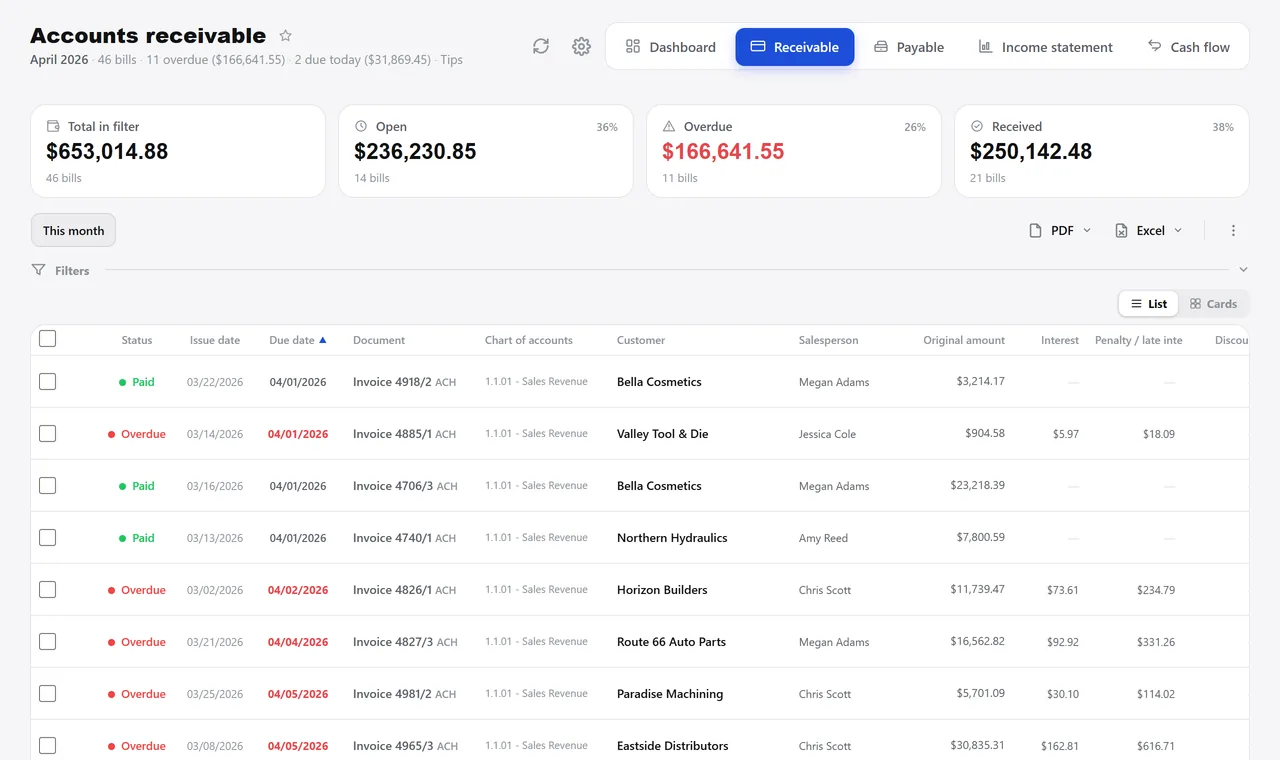
Accounts receivable, the way they open in the morning. A real system screen, with sample data. The screens are in Portuguese today. Scroll sideways to see the whole screen.
How it usually works
Today’s cash exists in one person’s head
Three bank tabs open, an “accounts payable” spreadsheet and the due-date notebook — matched line by line.
Every month-end the result is rebuilt in Excel, and it never ties out with the bank statement.
With the module
One screen for the day, and the result coming out on its own
- Receivables open already filtered
- Batch settlement requires the account code
- The bank statement closes the loop
- The result is a consequence
What finance does here
Every day
- Receive and pay, settling bills one at a time or in batches
- Accounts payable with three urgency levels, color-coding the row
- A simulation of what an overdue bill is worth today, with interest and late fee
- Statement per bank with a running balance line by line
With the bank
- Bill renegotiated into new installments that add up to the original
- Account codes applied in bulk from the accountant’s spreadsheet
- “Paid” and “written off” as two separate actions, on purpose
- Reconciliation of the bank statement and the credit card bill, reading the PDF
At closing
- Month-by-month income statement, as an account tree
- Management version on a cash or accrual basis
- Your own chart of accounts, with cost centers and allocation
- Forecast of what comes in and goes out, day by day, with projected balance
Talks to Invoicing, Sales, Purchasing, POS, Reports, and Integrations.
How much of your receivables is overdue today?
See the system with my own dataA reply by email within one business day, from a person on our sales team — not a bot.