

Inventory & Stockroom
What you have, where it is, who took it and what needs to be bought.
See the system with my own data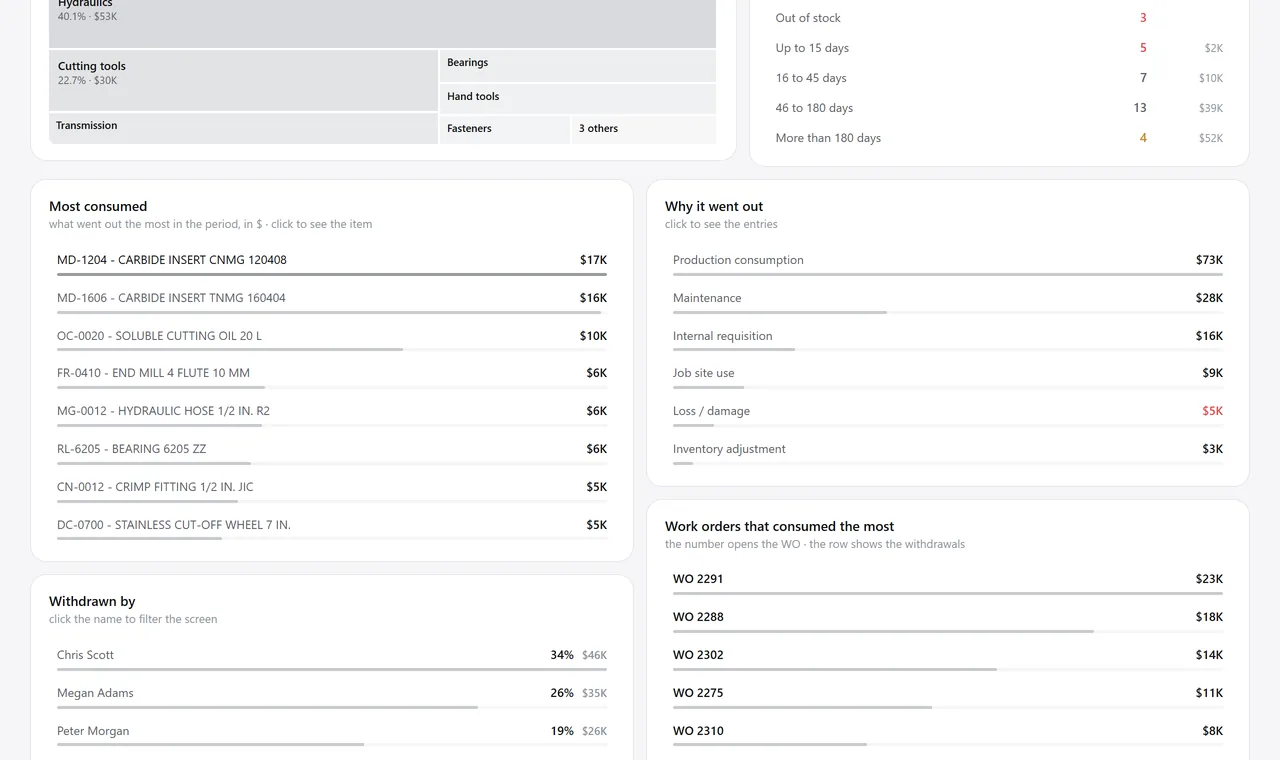
The inventory overview. A real system screen, with sample data. The screens are in Portuguese today. Scroll sideways to see the whole screen.
How it usually works
The inventory in the system and the one in the warehouse are two different inventories
You buy an item again while 300 units of it have been sitting at the back of the warehouse for two years.
Material bought for a specific customer goes into general stock and “disappears” when it’s time to invoice.
With the module
What arrives gets checked; what sits idle shows up
- The invoice is matched to the purchase order
- Whatever doesn’t pass stays pending, with the reason written down
- Whoever picks knows who the part is for
- The dashboard shows where money is sitting idle
What happens here
When the goods arrive
- Checking the invoice against the purchase order, item by item
- Barcode scanning, with conversion from bundle to unit
- Several invoices from the same supplier checked together, without counting demand twice
- Receiving inspection with a checklist, attachment and approval
Day to day in the stockroom
- Physical counts with a scanner and a list of what hasn’t been counted yet
- Stock adjustments with lot editing, recalculated on the spot
- Item location and tracking of every receipt and issue
- Material requisitions for the work order, with the lot certificate
To decide what to buy
- Value sitting idle with no issue at all in the history
- Coverage by bands: out of stock, up to 15 days, 16 to 45, more than 45, excess
- ABC analysis that saves minimums and maximums in bulk
- Supplier stock imported from the supplier’s own spreadsheet
Talks to Purchasing, Sales, Quality, Projects, Invoicing, and Production.
How much of your inventory has never moved once?
See the system with my own dataA reply by email within one business day, from a person on our sales team — not a bot.