

HR & Timekeeping
Employees, time cards and the cost of each hour — in the desktop app.
Runs in the Develop desktop app
See the system with my own data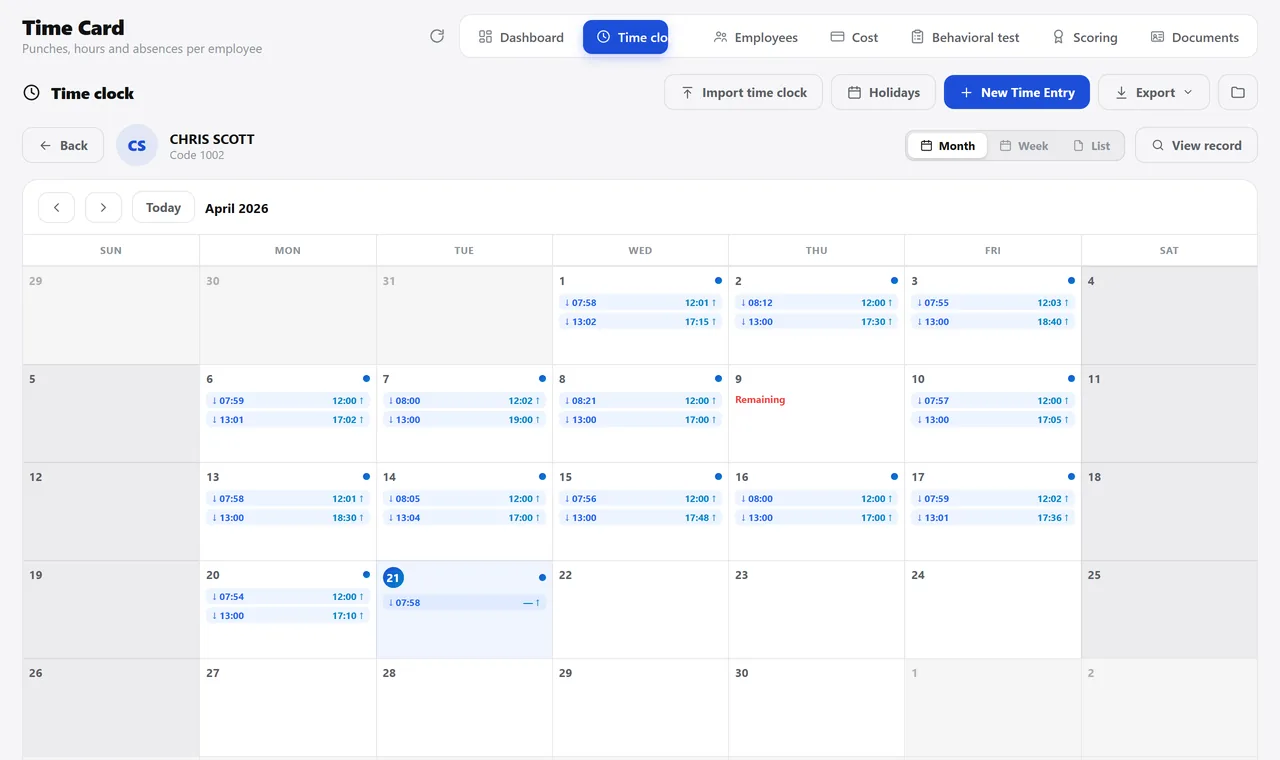
The month’s timecard. A real system screen, with sample data. The screens are in Portuguese today. Scroll sideways to see the whole screen.
How it usually works
The employee file is in a cabinet
Nobody knows how much that job site cost in labor — the spending is mixed into accounts payable.
Nobody remembers the month’s birthdays, or who goes on vacation in two weeks.
With the module
The person entered once, and the cost finding its job site
- One person, entered once
- The photo and documents stay together
- The timecard has three views
- The expense becomes a bill with a cost center
What HR keeps track of here
The person
- A record in nine tabs, from personal data to incidents
- Scanned documents, organized by group
- Photo swapped right from the list, without opening the record
- Contract, position, work schedule, pay supplements and salary
The timecard
- Month, week and list views
- Regular hours, overtime, late arrivals, absences and weekly rest
- Time corrections on the line itself, with the punch order validated
- Manual entry for a day with no punches
The cost
- Spending per employee and per job site
- Entries in installments, with bank and chart-of-accounts line
- Dashboard with payroll, average salary, length of service and birthdays
- HR staff log in and land straight on their own dashboard
Talks to Finance, Projects, Master Data, and Files.
How much did labor cost on your last job site?
See the system with my own dataA reply by email within one business day, from a person on our sales team — not a bot.